Lookup airport or city codes
Amadeus has a built in decode/encode feature which you can access via Pegasus to provide you with all manner of information about a city, country and more - but, for the purpose of this we will use it to lookup airport codes.
From anywhere in Pegasus you can press Shift+F8 / 1 / 1 - which works out at 'Encode/Decode - City', and you'll be presented with the box below:
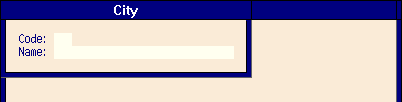
In here you can either type in the airport code to be given the city it corresponds to, or you can type the city to find out the transportation options in that region. So let's go with a random one, and type CKX into the code field, here's what you get:
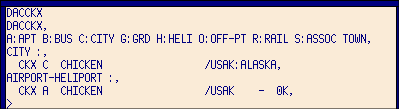
Believe it or not, there is a town in Alaska called Chicken, and the airport is CKX!
The above information gives you the city name, Chicken together with it's code (CKX) which you can also use to search in Pegasus, for example searching NYC instead of just LGA/EWR/JFK would bring up all airports in that area.
You can see where 'Chicken' is located by looking at the /USAK which translates as US - Alaska (AK being the state code for Alaska), and then listed underneath are all the modes of transport in that region, and while they only have an airport (A) in Chicken, some bigger cities would show you the nearest railway stations, heliports and ground transport, but we wouldn't ever really use that. Here's NYC for example:
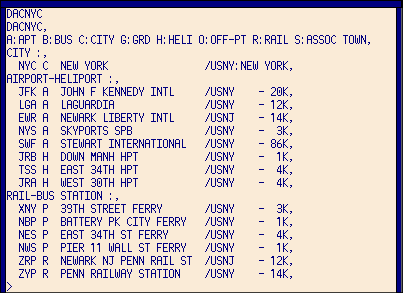
You notice how the location on here is /USNY - so you know that's in the US and it's in New York. If it was a destination in the UK for example, it would just say GBR, Spain would be ES and so on.
So if you get an airport code you aren't sure of, just quickly hit Shift+F8+1, enter the code and you're done - quicker than loading up a browser windows and having Google ask you, 'did you mean...?' - no Google, I didn't.
